Free web app — no download, no installation

Turn your browser into a studio

DJ-PAD-MUSIC is the home of WEB PADS — a free web app to create beats, remix tracks and perform live sets straight from the browser.

Play WEB PADS Browse packs
  • 2,000+ samples
  • 46sound packs
  • 11categories
  • 0$ to play

Tap the pads — this page is an instrument

AtmosphereBassBeatChord DrumFXKeyboardLead PercussionSynthVocal

01 What is DJ-PAD-MUSIC

A complete online DJ pad, beatmaker and sampler that runs on any device.

  • Learn the basics of electronic music production
  • Create original beats and tracks online
  • Perform live sets with a browser-based launchpad
  • Build a personal library of sounds and sample packs

DJ-PAD-MUSIC is a platform for aspiring DJs and producers. Think of it as a compact MPC-style sampler and launchpad that lives in your browser — no installs, no updates to manage, nothing between the idea and the sound.

02 For DJs

Your browser-based backup & performance tool

Internet drops. Software crashes. Hardware fails. WEB PADS is your plan B: a ready-to-play DJ pad with preloaded sample packs and playlists, one URL away.

  • Warm up the crowd while you troubleshoot
  • Jump in with a quick set if your main rig dies
  • Practice DJing and beatmatching anywhere
03 For Producers

Create tracks directly in the browser

From bedroom producers to sound designers for film and series — MAO (Musique Assistée par Ordinateur) now happens in a tab.

  • Compose beats and melodies with colored pads
  • Layer drums, bass, chords, leads and FX
  • Export ideas to finish in FL Studio, Ableton or any DAW

04 Key features

Everything a padshould do.

Sample settings — learn mode

Preconfigured patterns and lessons for beginners. Tap colored pads to play ready-made loops and learn rhythm, structure and composition.

  • Ready-made loops
  • Rhythm & structure
  • First-timer friendly

Sound player modes

Flexible playback for different workflows — trigger while holding, fire one-shots, loop endlessly or throw rhythmic echoes.

  • Push
  • Single
  • Repeat
  • Echo

2000+ sound banks

High-quality samples organised by category. Browse, audition and load your favourites instantly — no libraries to download.

  • 11 categories
  • Streamed & cached
  • Instant audition

Import your own sounds

Bring audio files from your device into the app, build personalised kits and signature sounds nobody else has.

  • Custom kits
  • Session persistence
  • Your signature

Sound packs & genres

Genre-specific packs from house to dubstep. All sounds stream and cache in the browser — open the app and start playing.

  • House · Trance · Dub
  • Hip-Hop · Trap
  • Dubstep & more

05 Modes & FX bar

Play it. Right here.

The pads above are live. Switch the player mode and arm an effect — the demo groove reacts instantly, exactly like the FX bar inside WEB PADS.

Player mode

FX bar

Tempo 120 BPM

06 Sound banks

2000+ samples,eleven categories.

  1. 001Atmospherepads & textures
  2. 002Bass808s, subs, reese
  3. 003Beatfull loops
  4. 004Chordstabs & progressions
  5. 005Drumkicks, snares, hats
  6. 006FXrisers & impacts
  7. 007Keyboardkeys & rhodes
  8. 008Leadhooks & melodies
  9. 009Percussioncongas, shakers, rims
  10. 010Synthplucks, saws, arps
  11. 011Vocalchops & phrases

Hover a bank to audition a tone — all streamed & cached, nothing to download.

07 Genre packs

Pick a sound.Then make it yours.

House · Trance · Dub · Hip-Hop · Dubstep · Trap · Drum & Bass · Future Bass — and more.


Browse all sound packs
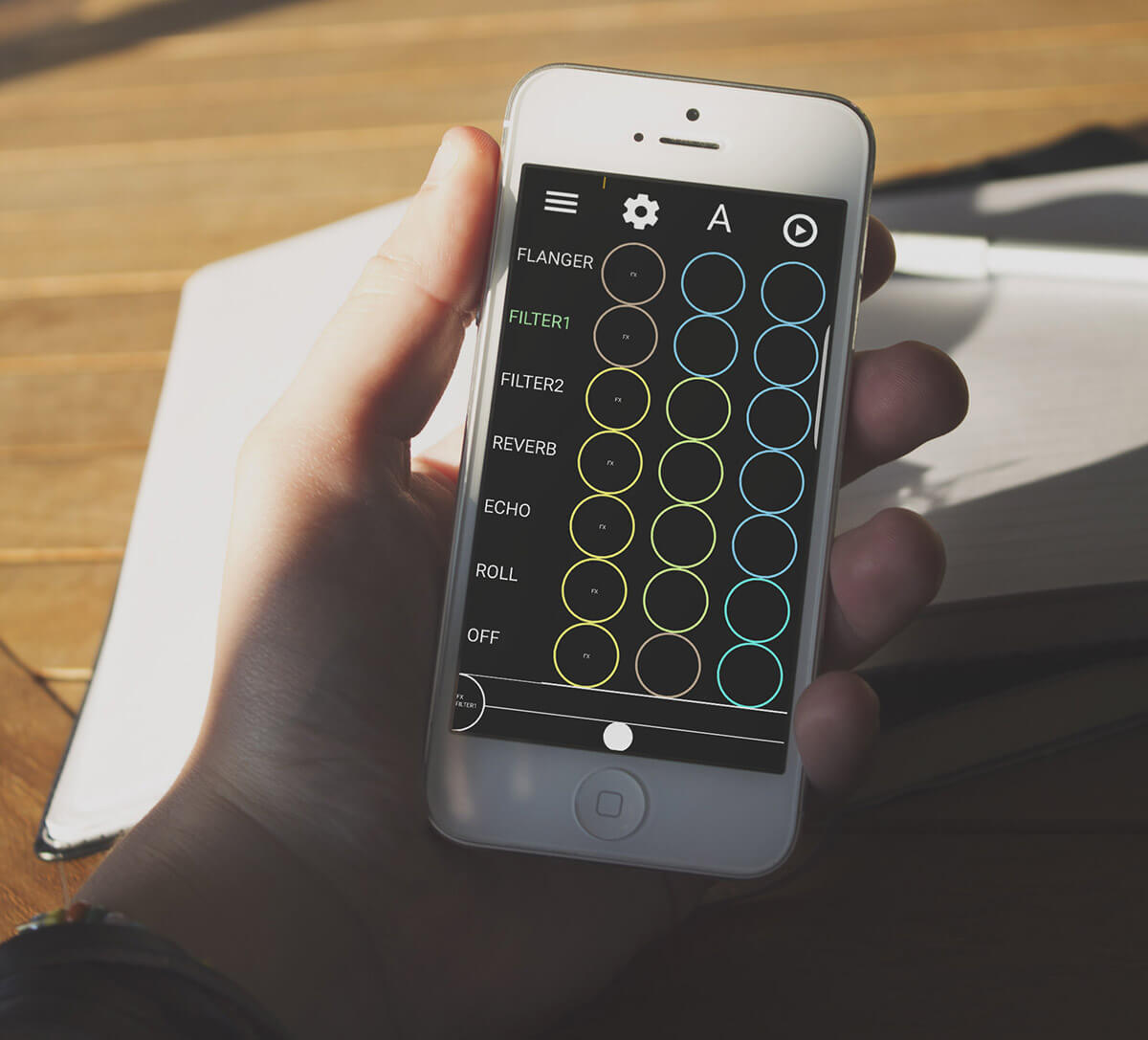
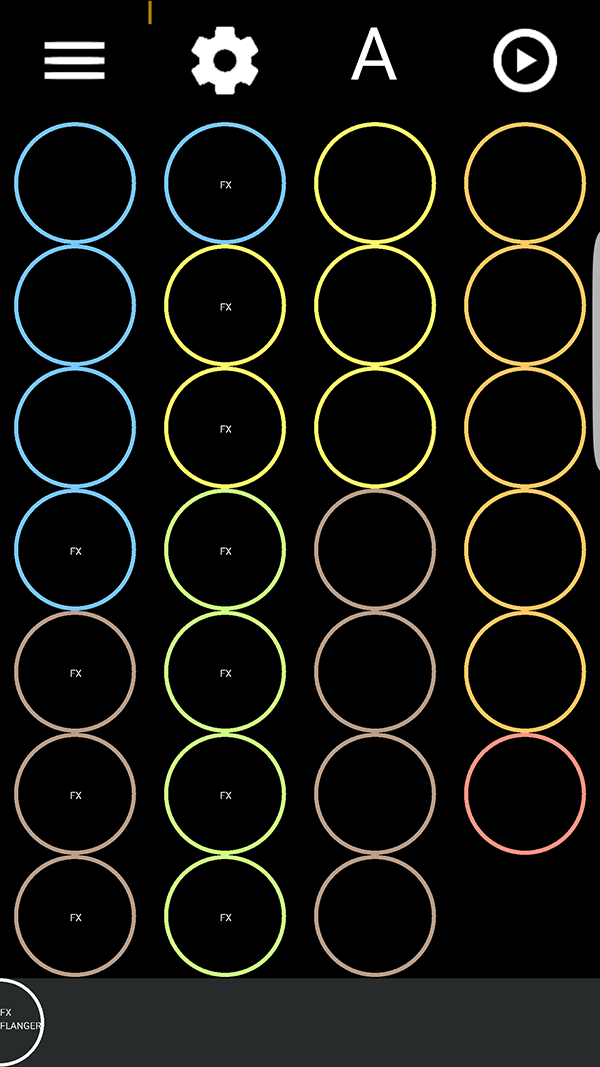
Screenshot of the WEB PADS interface showing a grid of colored circular pads with an FX bar A person playing the WEB PADS online DJ pad on a phone

08 Demo & live sets

See WEB PADS in action

Live performance examples, quick tutorials and tips for using the web app in real DJ and production scenarios.

09 Who is this for

Beginner DJslearning mixing, beatmatching and performance
Producersmaking beats for rap, EDM, pop and everything between
Sound designerswriting instrumentals for artists, films and series
Mobile musicianswho want an MPC on any device with a browser

10 Get started

Four steps to yourfirst track.

  1. 01

    Open WEB PADS

    One click in your browser. No account, no installer.

  2. 02

    Choose a genre pack

    Electro, trap, trance, dubstep — pick what matches your style.

  3. 03

    Tap, layer, perform

    Stack drums, bass, chords and FX until it grooves.

  4. 04

    Import your own samples

    Make it unmistakably yours, then export to your DAW.

11 FAQ

Questions, answered

Is WEB PADS really free?

Yes. WEB PADS is a free web app. Open it in your browser and start playing — no download, no installation and no account required.

Do I need to install anything to make beats?

No. Everything runs online in the browser. Sounds are streamed and cached automatically, so there are no sound libraries to download and no updates to manage.

Which devices does the online DJ pad work on?

Any modern device with a browser — laptop, desktop, tablet or phone. That is what makes it a great backup: you can open it on a friend's computer in seconds.

Can I import my own samples?

Yes. Import audio files from your device to build personalised kits and signature sounds. Your custom sounds stay available during your session and can be reloaded when you come back.

How many sounds are included?

More than 2000 high-quality samples across eleven categories: atmosphere, bass, beat, chord, drum, FX, keyboard, lead, percussion, synth and vocal.

Can I use WEB PADS for a live DJ set?

Yes — it is designed as a ready-to-play plan B. Preloaded packs and playlists let you warm up the crowd while you troubleshoot, or jump in if your main setup fails.

Can I finish my tracks in a DAW?

Yes. Sketch ideas on the pads, then export them to finish in FL Studio, Ableton Live or any other PC and Mac software.

Your browser is nowyour studio.

Open the free WEB PADS web app and turn any device into a pro-level DJ pad and beatmaker.

Play WEB PADS — free

No download · No installation · Just play